Cookies and trackers on WordPress

WordPress Cookie Scanner

See which cookies and trackers your WordPress site loads, free and with no account. Coming soon to WordPress.org: a plugin that shows which plugin, snippet or theme file adds each one.

The quick check runs now with no account. The full scan loads your site in a real browser as a first-time visitor, before and after consent.

Free · No signup · Nothing to install

Live scan · What CookieInspector capturesEvidence-based
Page load0.00s
Signals captured0.42s
Banner shown1.10s
Report ready—
Cookies & local storagecaptured
Third-party scriptsflagged
Consent signalsverified
Network requestslogged
CookieInspector for WordPress

See which plugin adds each tracker

The CookieInspector plugin adds one screen under Tools in wp-admin. Press one button and it checks your home page, then works out on your own server what adds each tracker it finds.

  • Every tracker in your home page: Google tag and Tag Manager, Google Analytics, Meta Pixel, LinkedIn, TikTok, Hotjar, Microsoft Clarity, Segment and Mixpanel
  • What adds each one on your site: a plugin's saved settings, a snippet in a snippet plugin, or a file of your theme
  • Whether a consent banner and Google Consent Mode signals were seen, and tracking plugins set up but not seen in the page
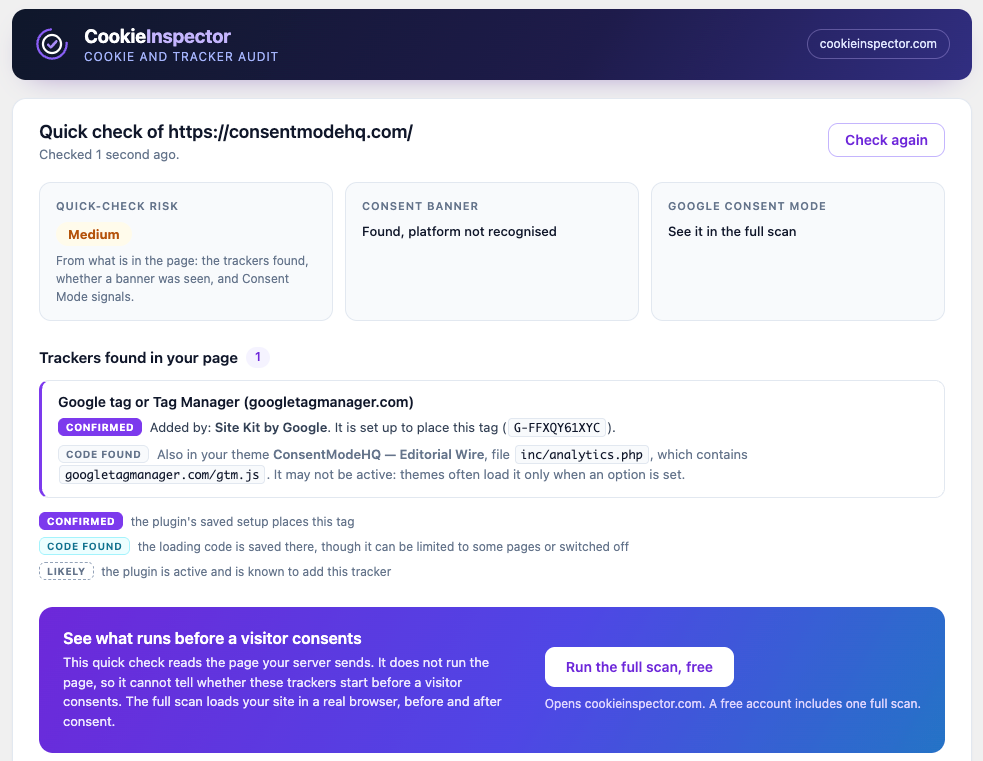
  • Confirmedthe plugin's saved setup places this tag
  • Code foundthe loading code is saved in a snippet or theme file
  • Likelyan active plugin known to add this tracker

The plugin reads the page your server sends. It does not run the page, so it cannot tell whether a tracker starts before a visitor consents; the full scan does. It adds nothing to your public pages and works without an account.

Coming soon to WordPress.org

The plugin is waiting for review in the WordPress.org directory. Meanwhile, the check above works on any WordPress site with no install.

CookieInspector plugin in wp-admin: quick check result with the Google tag confirmed as added by Site Kit by Google
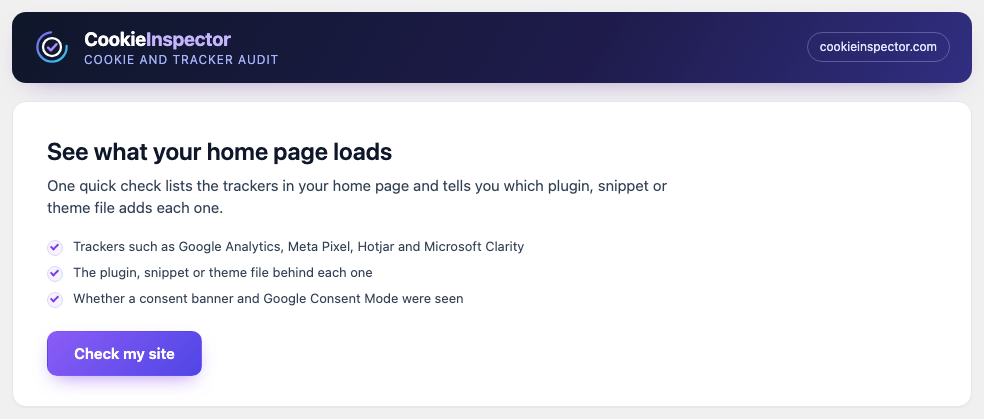
CookieInspector plugin in wp-admin before the first check, with the Check my site button
01

Check your WordPress site today

1. Paste your home page address above. The quick check runs right away with no account and names the trackers, the consent banner and the Google Consent Mode signals in the page.

2. Open a free account for the full scan. A real browser loads your site as a first-time visitor, records every cookie and request before anyone answers the banner, then accepts and records what loads after. Your first site's full scan is free.

02

Where WordPress trackers come from

On a WordPress site a tracker rarely comes from one place. Analytics plugins such as Site Kit by Google or MonsterInsights place the Google tag from their settings; pixel plugins such as PixelYourSite add Meta and TikTok; snippet plugins such as WPCode or Code Snippets hold code pasted by hand; some themes print the loader from a PHP file; and a Google Tag Manager container can load anything from outside WordPress.

That is why removing a tracker often fails: you switch off one plugin and the same tag still loads from a snippet or the theme. Knowing the source of each one is what makes the fix stick.

03

What the full scan adds

The full scan checks the order: what loaded in the first seconds, before the banner was answered, separately from what loaded after the visitor accepted. It works alongside your consent plugin, Complianz, CookieYes, Cookiebot, Real Cookie Banner or a custom banner, and shows whether it actually blocks what it is set to block.

Paid plans add a How-to-fix guide for each report, with the tag to change and how to check it, and monitoring that re-runs the scan on a schedule and emails you when something new loads before consent.

How we differ

“Most scanners give you a list of cookies. On WordPress that is half the answer: the fix depends on whether each tracker waits for consent, which the full scan shows today, and on which plugin, snippet or theme file loads it, which our plugin will show once it is on WordPress.org.”

Frequently asked questions

How do I check which cookies and trackers my WordPress site loads?

Paste your home page address in the form above. The quick check runs right away with no account and names the trackers, the consent banner and Google Consent Mode signals in the page. A free account adds the full scan: a real browser loads your site as a first-time visitor and records what loads before and after consent.

How do I find which plugin adds Google Analytics or the Meta Pixel in WordPress?

The CookieInspector plugin for WordPress (coming soon to WordPress.org) answers that inside wp-admin. For each tracker in your home page it shows what adds it: a plugin whose saved settings place the tag (for example Site Kit by Google), a snippet in a snippet plugin, or a file of your theme. Each answer is marked Confirmed, Code found or Likely.

Is the CookieInspector plugin on WordPress.org?

It has been submitted to the WordPress.org plugin directory and is waiting for review. Until it is listed, you can check any WordPress site from this page with no install.

Does the plugin replace my cookie banner?

No. It is an independent audit: it checks what your site loads and works alongside whatever banner you use, such as Complianz, CookieYes, Cookiebot or a custom one. It does not change your site or add anything to your public pages.

What does the plugin send to CookieInspector?

Your site's home address, and, as with any request, your server's address; only when an administrator presses the button. Your list of plugins, your settings, your snippets and your users never leave your site: working out which plugin adds each tracker happens on your own server.

Does the quick check tell me what loads before consent?

No. The quick check reads the page your server sends; it does not run the page, so it cannot tell whether a tracker starts before a visitor consents. The full scan does: it loads your site in a real browser, before and after accepting the banner.

See exactly what's running on your site right now.

Run a free scan

No credit card required · Instant insights